Beiträge von JFritzle

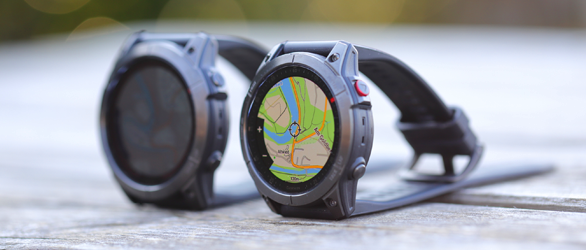
Garmin fenix 7X und epix Gen 2 im Test

Der Schwerpunkt dieses Tests und Vergleichs der Garmin Fenix 7X Solar und Garmin Epix Gen 2 liegt auf den Sensoren wie Höhenmesser, Positionsbestimmung und Herzfrequenz. Was unterscheidet die beiden GPS-Outdoor-Smartwatches? Und wie gut ist die Taschenlampe der Fenix 7X für den Outdoorbereich? Hier geht es zum Test der Outdoor-Smartwatches ...

    For testing purpose, I suggest to run QMS 1.20.3 by command

    /Applications/QMapShack_1_20_3.app/Contents/MacOS/QMapShack -d -c ~/QMapShack.1.20.3.conf
    -> QMS no starts with a fresh and empty configuration file QMapShack.1.20.3.conf in your home folder.


    Yes, except from your projects everything is default, undefined or missing.
    This is intended for testing, has no impact on your default configuration file org.qlandkarte.QMapShack.plist nor alters your default configuration.


    Then

    • setup your map path to your map folder /Users/e-jvanderlinden/Documents/QMapShack/Maps
      -> list of available maps should get populated
    • set 1 or more maps from list active ("eye" symbol button)
    • verify that activated maps are visible
    • quit QMS
    • restart QMS by same above command
    • verify that previously activated maps become visible again:
      If true, then something in your default configuration file org.qlandkarte.QMapShack.plist prevents from QMS 1.20.3 working as expected. Regarding your attached default configuration file, it still contains orphaned entries which may or may not impact.
      If false? Hope that doesn't happen.


    If it is really the complete debug output from QMS 1.20.3, then you did never active a map after reloading maps. "Reloading maps" only means updating list of available maps and not showing any map. I can't believe that you have set any map active within QMS 1.20.3. If any map would have been set active, then debug output would have shown lines of kind


    [QMS] 2026-07-07 19:51:01.997 [debug] ------------------------------

    [QMS] 2026-07-07 19:51:01.997 [debug] TMS: try to open "D:/Landkarten/QMapShack/Onlinemaps/OpenStreetMap.tms"

    [QMS] 2026-07-07 19:51:02.001 [debug] tms: "EPSG:3857"


    What I see is only one QMS 1.20.3 debug log where no maps seem to be activated (eye symbol button!).


    What I had expected is two debug logs of subsequent QMS 1.20.3 runs as mentioned. Without running any different QMS version in between. Perhaps a new attempt? Now with log files as attachments?


    Which kind of processor is your iMac, Intel or ARM?


    I am asking because I recently tried to verify your problem with QMS 1.20.3.1 release on Intel based macOS Tahoe 26.5.1. I can confirm, in my environment everything works as expected: activated maps and DEMs are still activated after QMS restart.


    There might be a problem when switching between QMS versions. The handling of maps and DEMs is not backward-compatible. As each QMS version by default saves configuration to and restores from file ~/Library/Preferences/org.qlandkarte.QMapShack.plist, each QMS version stores data on a version-specific basis. Reading stored data and trying to restore previous settings from a different QMS version may fail.


    Therefore when using different QMS versions in turn, it is best practise not to use default configuration but to use different configuration files for different QMS versions. This can be achieved by command line parameter -c. Example for QMS version 1.17.1:

    /Applications/QMapShack.app/Contents/MacOS/QMapShack -c ~/QMapShack.1.17.1.conf


    About LOG file (see online or F1 offline help, keyword commandline) :

    • If command line parameter -d is set, log output goes to terminal.
    • If command line parameter -f is set, log output goes to file ~/Library/Logs/org.qlandkarte.QMapShack.log
    • If neither command line parameter -d nor -f is set, no log output is written at all.

    About suspicious debug output mentioned above:

    These debug output lines are due to the fact, that you have enabled device support, intentionally or not. You find corresponding checkbutton at Workspace -> Setup Workspace -> General.


    About silent crashes at the end of a QMS run mentioned above:

    Reason for crash has been found and (hopefully) fixed since QMS 1.20.0.


    Finally, 2 complete log files would be helpful to circle down problem.

    Run QMS 1.20.3 from commandline twice in turn.

    1. First run:
      /Applications/QMapShack.app/Contents/MacOS/QMapShack -d | tee qms.1.log
      Within first run, activate maps and DEMs as desired. Then quit QMS normally, either by QMS window's red Close button or by QMapShack -> Quit QMapShack.
    2. Second run:
      /Applications/QMapShack.app/Contents/MacOS/QMapShack -d | tee qms.2.log
      Maps and DEMs activated in first run should be still activated. Quit QMS normally.

    Attach both log files qms.1.log and qms.2.log to your reply.